You can have it by installing the addon NeobuxOx to your browser:


NeoBuxOx is no longer a simple script to become a native extension within the browser. The latest version is v4.0.2, published on June 2, 2014, and can be downloaded from: Google Chrome: https://chrome.google.com/webstore/detail/neobuxox/fcpnnjlljgdcinojgocmjddolelccbjc
- Internet Explorer: In a very very distant future ...
Once installed, the first time you go to the page of direct or rented referrals a popup asking for how many days to renew your referrals appear. Put those who are 30, 60, 90, 150, 240 or 1 if you have AutoPay activated and ready. The script start running!
The other day I was doing a hack to an existing script and I think you all know. After testing saw a list of 300 referrals took almost four seconds to show me the information and meanwhile kept me frozen browser. So I decided to do his own script, completely in Spanish, updated and especially fast, simple and lightweight.
Under those ideas NeoBuxOx born with less than 20KB compared with more than 200KB of other scripts and with a response time of less than half a second compared to almost 4 other scripts. Completely created from scratch to work in all browsers and any supplement making minimal use of system resources.
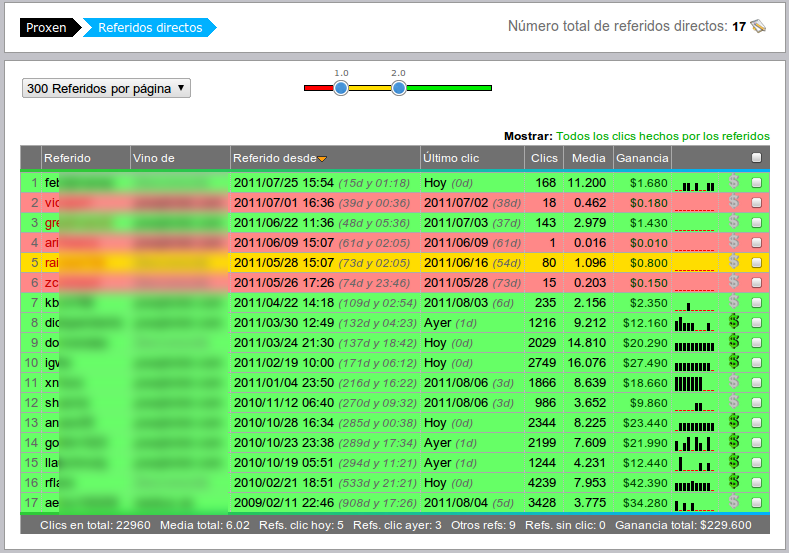
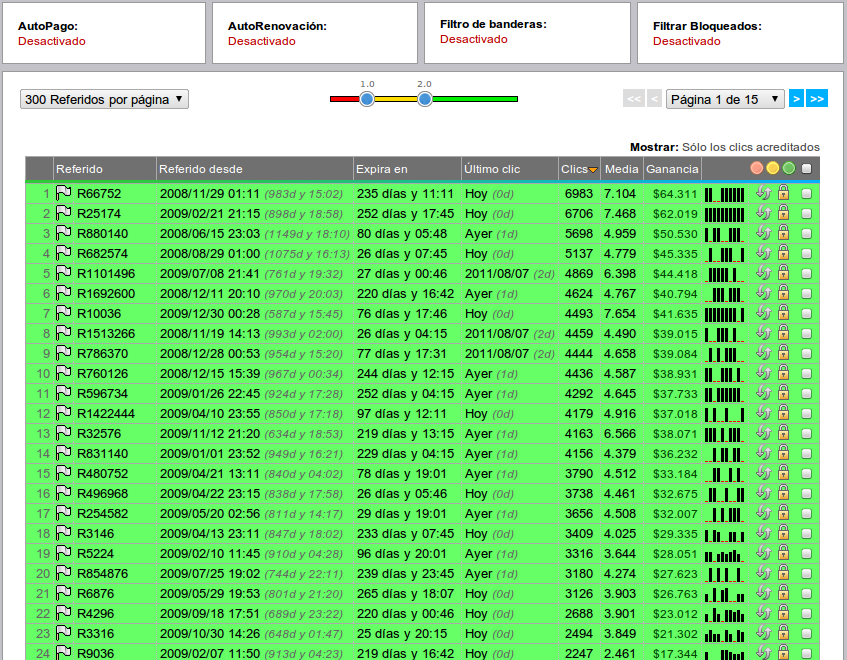
It works on both page and direct referrals rented referrals page and works with minimal configuration. Only you need to put the days for which you are renewing referrals, nothing else! (See last screenshot)
Some screenshots:


কোন মন্তব্য নেই:
একটি মন্তব্য পোস্ট করুন